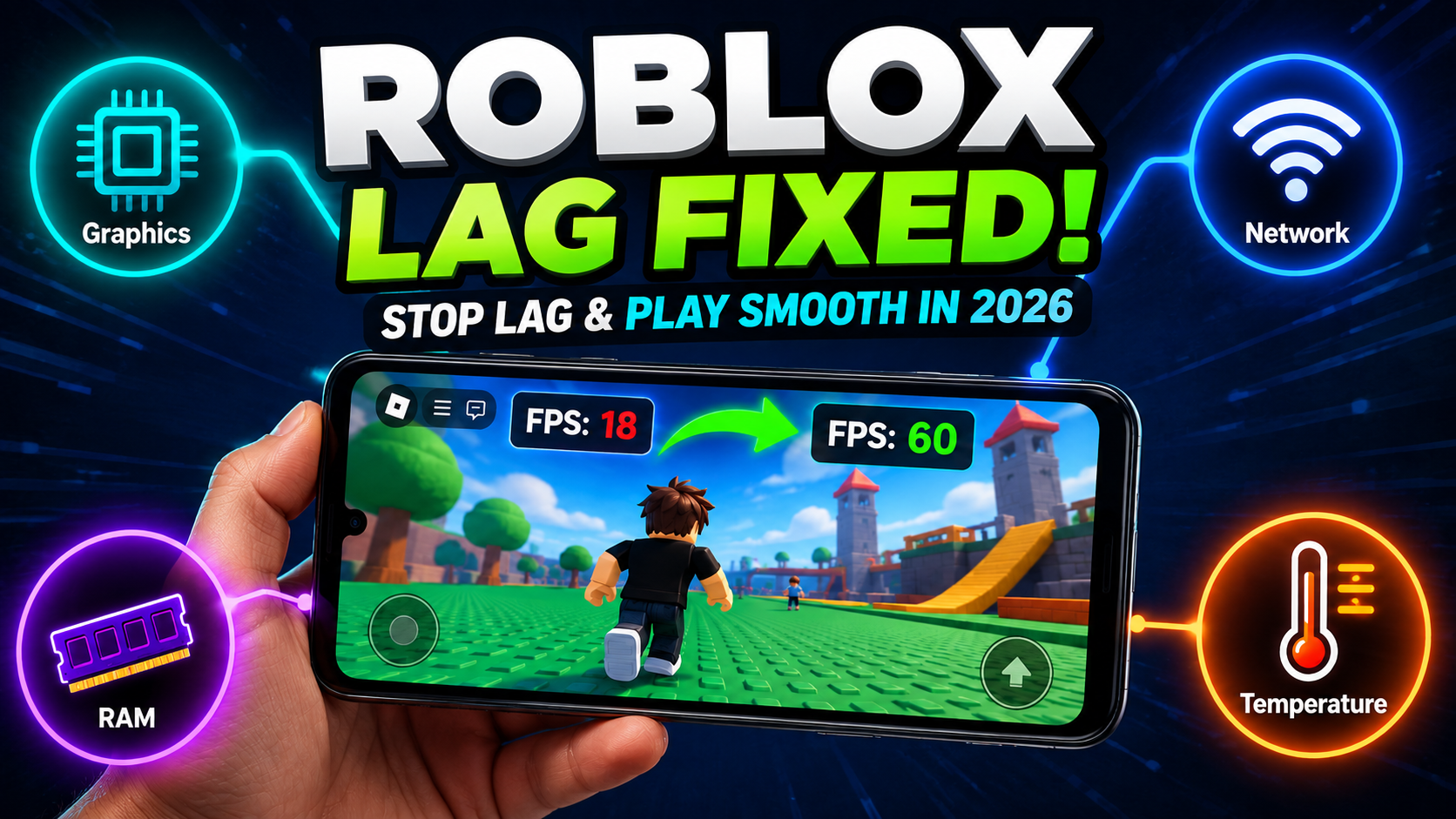
Roblox Lag Fix on Android: How to Stop Lag in 2026
Roblox running poorly on Android is one of the most searched problems in the Roblox community. Whether it’s frame drops, input lag, rubberbanding, or constant loading—most of these problems have fixable causes.
This guide covers every practical fix, organized from quickest to most involved. Work through them in order, and you’ll identify the culprit fast.
First, Know Which Type of Lag You Have
Not all lag is the same, and the fix depends on the type.
1. Frame rate lag (FPS drops)
The game looks choppy or stutters. Usually a device performance or graphics settings issue.
2. Network lag (ping/latency)
Your character moves smoothly on screen, but actions are delayed, or you rubber-band back to previous positions. A connection issue.
3. Loading lag
Games take a very long time to load assets or freeze briefly when entering new areas. Usually a storage speed or RAM issue.
4. Input lag
Buttons and taps register slowly. Usually a background app conflict or an overheating issue. Identify which type you’re experiencing, and the fixes below are organized accordingly.
Fixes for Frame Rate Lag (FPS Drops)
Lower Your Graphics Settings
This is the single highest-impact fix for most Android devices. Roblox’s default graphics settings are often higher than a mid-range phone can sustain in complex game environments.
In the official Roblox app
In-game → tap the three-dot menu → Settings → Graphics Quality slider. Drop it to 1 or 2.
In Roblox Mod APK
The same in-game settings menu is accessible. If you have HD Graphics Enhancement enabled in the Mod Menu, disable it; it significantly increases GPU load.
Going from Graphics Level 5 to Level 1–2 on a mid-range Android device typically improves frame rate by 20–40%.
Close Background Apps
Every app running in the background consumes RAM and CPU cycles that Roblox needs. On a phone with 3 GB of RAM, having Chrome with multiple tabs, WhatsApp, and Spotify running alongside Roblox causes significant frame drops.
Before launching Roblox, swipe away all recent apps from the multitasking view. On Samsung devices, use the “Close All” button. This frees up to 1–2 GB of RAM depending on what was open.
Clear Roblox Cache
Accumulated cache data can cause loading stutters and performance degradation over time.
Settings → Apps → Roblox → Storage → Clear Cache.
This doesn’t delete your account data or game progress, only temporary files. Do this monthly for best results.
Check for Device Overheating
When Android phones overheat, the processor throttles performance to protect the hardware. You’ll notice sudden dramatic frame drops after 20–30 minutes of play.
Signs of thermal throttling: the phone feels hot, performance drops suddenly after a period of normal play, or the back of the device is uncomfortably warm.
Fixes: remove the phone case while playing (cases trap heat), take breaks between sessions, avoid playing while the phone is charging (charging generates additional heat), and don’t play in direct sunlight or hot environments.
Fixes for Network Lag (Rubber-banding, Delays)
Switch to Wi-Fi
Mobile data connections, even 4G and 5G, have higher and more variable latency than a stable home Wi-Fi connection. Roblox’s online nature means every action requires a server round-trip. Variable latency makes gameplay feel inconsistent even when your internet is technically fast.
If you’re already on Wi-Fi, move closer to your router. Distance and walls between your device and router significantly affect connection quality.
Check Your Roblox Server Region
Roblox automatically connects you to the nearest available server for each game. If a game’s servers are geographically distant, latency will be higher regardless of your connection quality.
There is nothing you can directly control, but knowing this explains why some games consistently feel laggier than others. Games with servers in your region will always feel better than those with servers on the other side of the world.
Reduce Other Network Usage
Other devices on your home network streaming video, downloading files, or gaming all compete for bandwidth and create latency spikes for Roblox. During a Roblox session, pause large downloads on other devices or ask family members to reduce heavy streaming temporarily.
Fixes Specific to Roblox Mod APK
If you’re experiencing lag specifically with the Roblox Mod APK and not the official version, the Mod Menu itself is the cause; it adds processing overhead on top of the game.
1. Disable unused Mod Menu features
Running Fly Mode, Speed Hack, Wallhack, HD Graphics Enhancement, and Chams simultaneously is demanding. Disable features you’re not actively using. For most sessions, 1–3 active features are the sweet spot.
2. Avoid HD Graphics Enhancement on lower-end devices
This feature increases rendering demands significantly. On devices with under 4 GB of RAM or without a dedicated GPU, it typically makes performance worse rather than better.
3. Use Build 1 instead of Build 2 on lower-end devices
Build 2’s extended features add more background processes. Build 1 runs lighter on devices at or near the 2 GB RAM minimum.
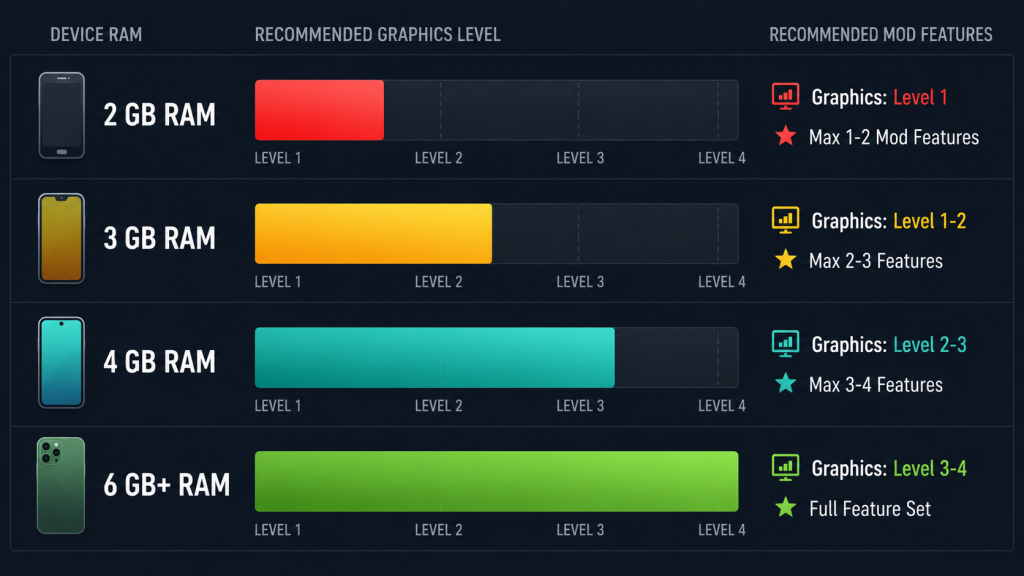
Device-Specific Recommendations
Device RAM Recommended | Levels | Features Running |
|---|---|---|
2 GB | Level 1 | Maximum 1–2 features |
3 GB | Level 1–2 | Maximum 2–3 features |
4 GB | Level 2–3 | 3–4 features comfortable |
6 GB+ | Level 3–4 | Full feature set stable |
When Nothing Else Works, Consider an Older Mod Version
Occasionally, a new mod APK release has performance regressions compared to the previous version. If lag appeared after updating to a new mod version, rolling back to the previous build sometimes resolves it.
Our Roblox Mod APK Old Versions page has the version archive with notes on stability characteristics for each build.
Frequently Asked Questions
Why does Roblox lag more with Mod APK than the official app?
The mod menu adds a processing layer on top of the game. This increases RAM and CPU usage compared to the official app. Lower-end devices feel this more noticeably. Reducing active features and lowering graphics settings usually resolves the difference.
Does clearing the cache delete my Roblox progress?
No. Game progress and account data are stored server-side on Roblox’s servers. Clearing the app cache only removes temporary files on your device. Nothing is lost.
Will a VPN improve Roblox ping?
Almost never. VPNs add routing steps that typically increase latency rather than reduce it. Unless your ISP is specifically throttling gaming traffic, a VPN will make Roblox performance worse.
My Roblox runs fine normally, but lags with the mod menu open. What should I do?
Disable all Mod Menu features and enable them one at a time to identify which one causes the drop. HD Graphics Enhancement is the most common culprit on mid-range devices. Disable it first.
Does device temperature affect Roblox performance?
Yes, significantly. When your phone overheats, the processor throttles to protect itself, causing sudden, dramatic performance drops. Remove your case, take breaks, and avoid playing while charging to minimize thermal throttling.
Conclusion
Most Roblox lag on Android comes from four sources: graphics settings too high for the device, background apps consuming RAM, network connection issues, and overheating. Work through each category in order, and the problem is almost always solvable.
For Mod APK-specific lag, reduce active features and disable HD Graphics Enhancement first; those two changes fix the majority of mod-related performance issues.
For everything else about Roblox Mod APK, start at the Roblox Mod APK homepage. Graphics settings are explored further in the Roblox Graphics Settings guide.