Roblox Private Servers: How to Get One Free in 2026
Private servers let you play Roblox games with only the people you choose. No random strangers. No public lobby chaos. Just you, your friends, and the game, exactly how you want it.
Here is everything you need to know about how private servers work, how to get one for free, and whether they are worth it for your situation.
What Is a Roblox Private Server?
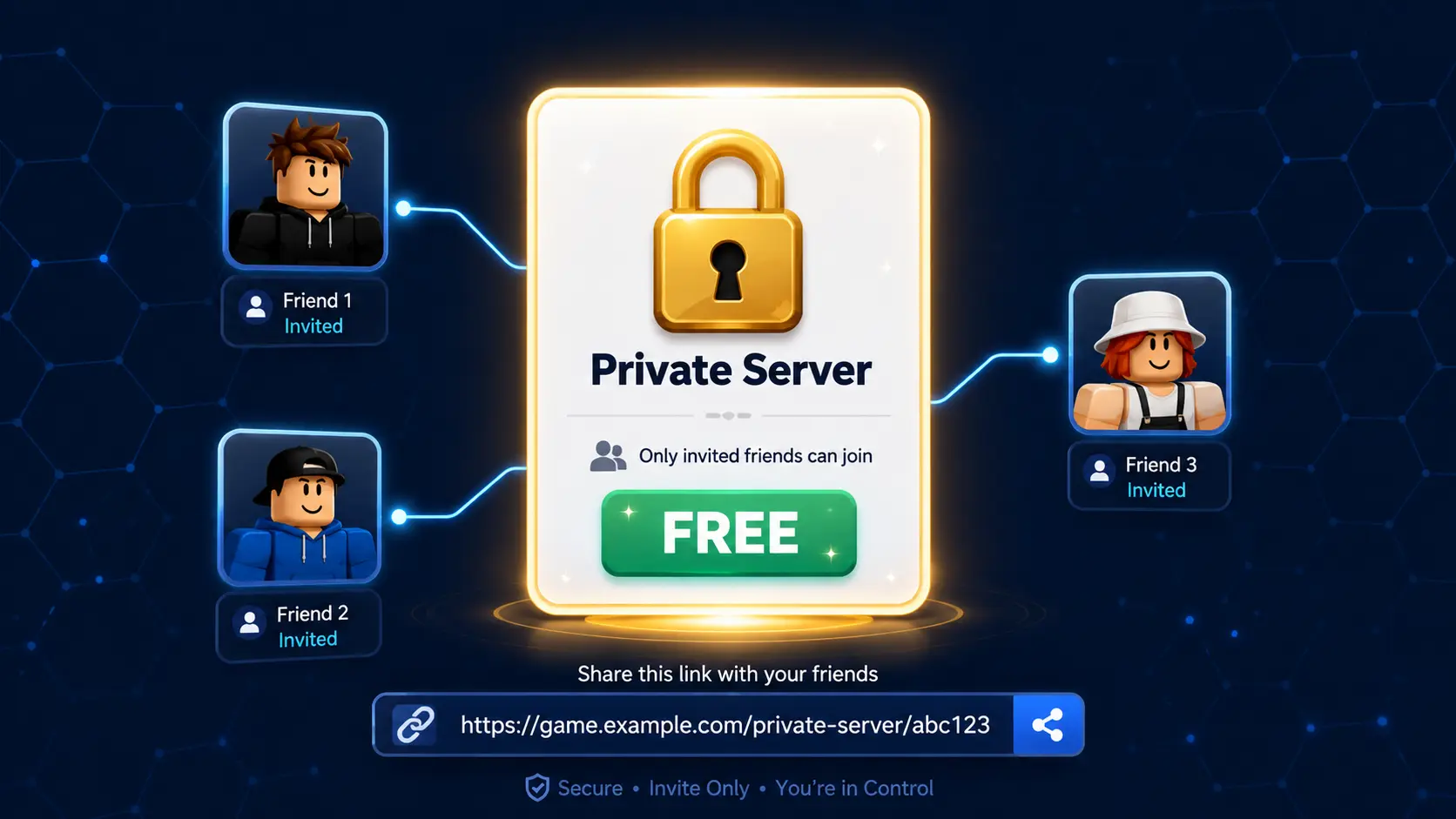
A private server (also called a VIP server) is a separate game instance reserved exclusively for the players you invite. Instead of joining a public server shared with up to 20 strangers, you and your group get your own dedicated instance of the game.
The server link is shareable. You generate a unique URL and send it to anyone you want to join. They click the link and enter directly into your private session.
Private servers are created and managed from within the individual game. Not every Roblox game supports them; the developer has to enable the feature first.
How Much Do Private Servers Cost?
Pricing is set entirely by individual developers. There is no platform-wide standard.
Common pricing ranges in 2026:
- Free (developer choice, fully free private servers)
- 10 to 50 Robux per month (budget range, common in smaller games)
- 100 to 300 Robux per month (mid-range, popular games)
- 500 to 1,000 Robux per month (premium games and high-demand experiences)
The keyword is “per month.” Private servers in Roblox are subscription-based. You pay each month to keep the server active. If you stop paying, the server closes, and the link stops working.
How to Get a Roblox Private Server for Free
There are three legitimate ways to access a private server without spending Robux.
1. Games With Permanently Free Private Servers
Some developers make private servers completely free as a way to grow their community. These servers work exactly like paid ones but cost zero Robux to create and maintain.
Finding them requires checking individual games. On the game page, scroll to the Servers tab. If you see a “Create Private Server” button showing 0 Robux, the game supports free private servers.
Games that have offered free private servers in 2026 include several popular social and role-playing games. This changes over time as developers update their pricing, so checking directly in-game is always the most accurate method.
2. Join Someone Else’s Private Server
You do not need to own a private server to use one. If a friend or community member creates one and shares the link with you, you join at zero cost. You just need the invite link.
Roblox communities on Discord, Reddit, and dedicated fan groups regularly share private server links for popular games. Searching “[game name] private server link” in those communities often surfaces active links.
3. Free Server Trial Periods
Some developers occasionally run promotional periods where private servers are temporarily free. These are usually tied to game anniversaries, update launches, or Roblox platform events.
Following a game’s official social channels or Roblox group announcements is the best way to catch these windows.
Why Use a Private Server?
Control Over Your Gaming Environment
Public Roblox servers can be unpredictable. Griefers, random players disrupting roleplay, strangers interrupting sessions—private servers remove all of that. You control who is in the session entirely.
Better Performance in Some Games
A private server with 4 to 6 friends in a game designed for 20 players typically runs smoother. Fewer players mean lower server load and better frame rates for everyone in the instance.
Safe Testing Ground for Roblox Mod APK Features
This is an underappreciated use case. If you are using Roblox Mod APK, a private server significantly reduces detection and report risk.
In a public server, other players may notice and report unusual movement from Speed Hack or Fly Mode. In a private server where everyone present knows about the mod, that risk essentially disappears. It is one of the safest environments to test Mod Menu features for the first time.
The full safety breakdown for Mod APK use is in our Is Roblox Mod APK Safe? article.
Exclusive Roleplay and Creative Sessions
Private servers are the backbone of organized Roblox roleplay communities. Consistent friend groups, content creators filming videos, and organized community events all rely on private servers to maintain a controlled, consistent experience.
How to Create a Private Server
Creating a private server takes under two minutes.
- Open the Roblox game you want to create a server for
- On the game page, scroll to the Servers tab
- Click “Create Private Server.”
- Set a name for your server (optional in some games)
- Complete the Robux payment if required
- Copy the generated server link and share it with invited players
The link remains active as long as your subscription is active (or permanently if the server is free). You can revoke the link at any time from your Private Servers section in account settings, which instantly removes access for anyone using that link.
Private Servers vs. Public Servers Quick Comparison
Feature | Public Server | Private Server |
|---|---|---|
Who can join? | Anyone | Invite only. |
Player count | Up to 20 (game-dependent) | Up to 20 (same limit) |
Cost | Free | Free or monthly Robux |
Mod APK risk level | Higher (strangers report) | Lower (controlled group) |
Roleplay quality | Unpredictable | Consistent |
Performance | Standard | Often better with small groups |
Games Known for Free or Low-Cost Private Servers in 2026
Rather than listing specific prices (which change frequently), here is how to identify good candidates:
Look for social role-playing games where the developer benefits from community growth. Free private servers attract friend groups who then spend more time in the game overall, which benefits the developer through engagement metrics and premium payouts.
Avoid checking prices on third-party sites—they go out of date quickly. Always verify directly on the game page under the Servers tab before expecting a server to be free.
Frequently Asked Questions
1. Can I use the Roblox Mod APK in a private server?
Yes. Private servers run the same Roblox client as public ones, so the <u>Roblox Mod APK</u> features work identically. The key advantage is reduced report risk since you control who is in the session.
Link: Homepage
2. Does a private server owner get banned if a guest uses mods?
The server owner’s account is separate from the guests’ accounts. Detection systems monitor individual accounts, not server ownership. Using a secondary account for mod use still applies regardless of server type.
3. How many players can join a Roblox private server?
Private servers share the same player capacity as public servers for that game. If a game allows 20 players per server, your private server also allows 20. You simply control who fills those slots.
4. What happens to my private server if I stop paying?
The server deactivates immediately when the subscription lapses. The link stops working. Players trying to join get redirected to a public server instead. Your server settings are saved for 30 days—if you resubscribe within that window, the same server resumes.
5. Can I play a private server solo?
Yes. You can enter your own private server alone without inviting anyone. This is useful for practicing, exploring games without interruption, or testing Mod APK features safely.
Conclusion
Free private servers exist in more games than most players realize. Check the Servers tab on your favorite games before assuming you need to pay—you might already have access.
For the best private server experience with Roblox Mod APK features, combine a free private server in a compatible game like Brookhaven with the Roblox Mod Menu features from our homepage.
For iOS users looking for similar options, the Roblox Mod APK for iOS guide covers what is available on iPhone and iPad.